Most vendor evaluations go wrong in the same way. Three providers send polished decks, each promises “accurate, real-time retail data,” and the buyer ends up choosing on price, gut feel, or whoever replied fastest. Then the first live feed arrives with missing fields, mismatched products, and prices that are a day old, and the buyer has to explain to management why the data they paid for isn’t usable. The fix is to judge vendors on the data itself, using a structured pilot, before any contract is signed. If you’re still shaping your requirements, it helps to understand what ecommerce data scraping can realistically deliver before you start comparing providers.
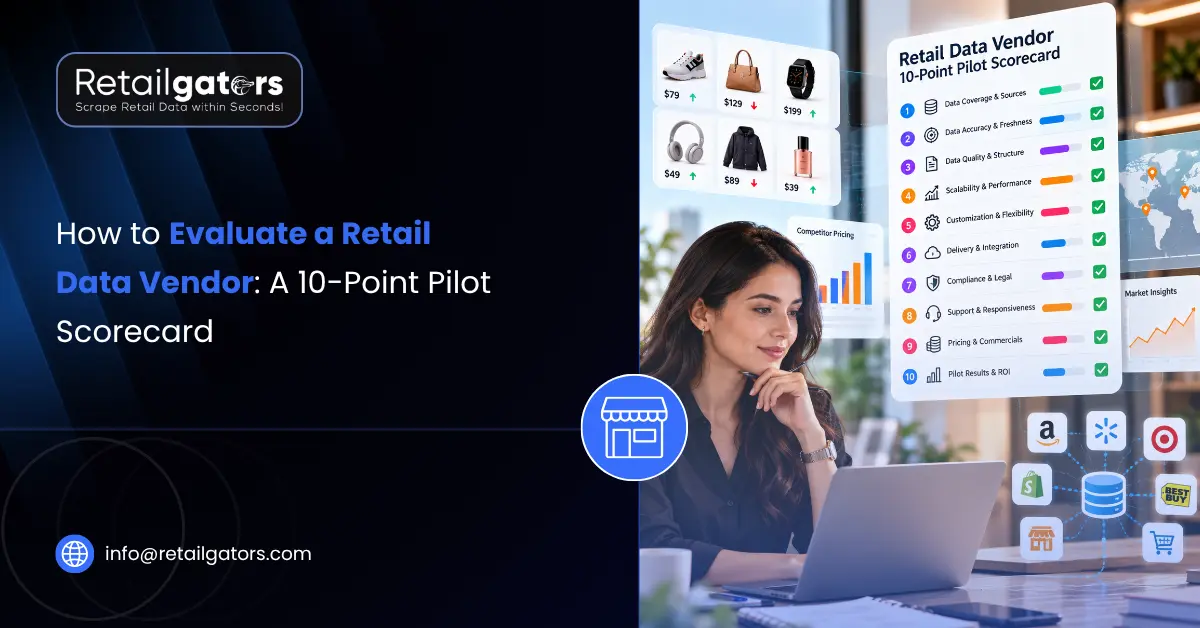
This guide walks through a 10-point scorecard you can apply to sample data from any vendor. It’s built for the person who has to compare providers and then defend the decision to a manager, a finance lead, or a procurement team. Each point tells you what to check, how to check it, and what a good result looks like.
Before You Start: Run a Fair Pilot
A scorecard is only useful if every vendor is tested the same way. Send each provider an identical brief: the same list of products, the same target websites, the same fields, the same delivery format, and the same time window. Don’t let a vendor pick its own easy sample.
Build your test set deliberately. Include a mix of straightforward products and the awkward ones: items with multiple variants, out-of-stock listings, products sold by several sellers, items with active promotions, and products with inconsistent titles across sites. Vendors look equally good on easy products. The difficult ones are where they separate.
A sample of roughly 50 to 100 products is usually enough to spot patterns without making the pilot a project of its own. Whatever size you choose, keep it identical across vendors and write it down, because you’ll need the paper trail when you present your recommendation.
The 10-Point Pilot Scorecard
1. Field-Level Accuracy
Pick 25 to 30 records at random from the sample and compare them against the live product pages, field by field: price, title, brand, availability, rating, review count. Don’t just confirm that a value exists. Confirm that it’s the right value, taken from the right place on the page.
Watch for common errors: a sale price captured as the regular price, a variant’s price attached to the wrong variant, currency symbols stripped, or a “from” price treated as the actual price. Record accuracy per field, not as one blended number. A vendor that is 98% accurate on titles and 80% accurate on prices has a problem that an overall average would hide.
2. Field Completeness
Accuracy tells you whether the values are right. Completeness tells you whether they’re there at all. For every field you requested, calculate how many records came back populated.
Then ask a second question: when a field is empty, why? A good vendor can tell you whether the data genuinely didn’t exist on the page, such as a product with no reviews yet, or whether the collection missed it. Blank cells with no explanation are a red flag, because you can’t tell a data gap from a collection failure.
3. Product Matching Quality
If your use case involves comparing the same product across retailers or marketplaces, matching quality can matter more than any other criterion. Ask the vendor to match your sample products across sources, then review the matches yourself.
Look at both kinds of error. False matches, where two different products are treated as the same, quietly corrupt your pricing analysis. Missed matches leave gaps in coverage. Pay particular attention to near-identical items: different pack sizes, different colors, different model years. Ask the vendor how matching is done and whether a human reviews uncertain cases. Teams that rely on product matching for competitive comparisons should treat this as a pass/fail criterion, not a nice-to-have.
4. Refresh Speed and Data Freshness
“Daily refresh” can mean many things. Does it mean every product is re-collected every 24 hours, or that the batch runs daily and some products take longer to complete? Does the file carry a timestamp for when each record was collected, or only when the file was generated?
The best way to test this is to run the pilot across several days rather than a single pull. Check whether the timestamps are consistent and whether a price change you can see on the live site shows up in the next delivery. If your pricing team reacts to competitor moves within hours, a vendor that delivers stale data once a day isn’t a fit regardless of how clean the file looks.
5. Delivery Format and Integration Fit
A dataset that needs hours of cleanup before anyone can use it is not a finished product. Check whether the delivery format (CSV, Excel, JSON, API, or scheduled feed) matches what your systems actually ingest. Open the files and look at them as an analyst would: Are column names consistent? Are dates in one format? Are prices numeric, or text with currency symbols mixed in? Are product identifiers stable from one delivery to the next?
Ask your own data or engineering team to review a sample file. If they flag cleaning work, that’s a real cost, and it belongs in your comparison.
6. SLA and Support Responsiveness
Ask every vendor what they commit to in writing: delivery schedules, what happens when a delivery is late or incomplete, how quickly issues get a response, and who you actually talk to. Don’t accept verbal assurances. If a vendor can’t or won’t put terms in writing, that tells you something.
You can also test support during the pilot itself. Raise a genuine question, perhaps about a field you don’t understand or a record that looks wrong, and note how quickly and how thoroughly the vendor responds. Pilot-stage responsiveness is usually the best case. If it’s slow now, it won’t improve after you’ve signed.
7. Consistency Across Runs
One clean delivery proves little. What matters is whether the second, third, and fifth deliveries look the same. Compare successive files for changes in structure: renamed columns, shifted field order, new nulls, dropped products.
Schema drift is one of the most common and least visible causes of broken dashboards. A vendor with stable output and a clear process for communicating changes saves your team far more time than one that occasionally delivers a slightly richer file.
8. Handling of Difficult Pages and Errors
Retail sites change layouts, block requests, and load content dynamically. Every vendor will hit these problems eventually, so the question is how they behave when it happens. Ask what the process is when a source breaks, how quickly you’ll be told, and whether failed collections are flagged in the delivery or silently omitted.
A vendor that tells you “these 12 products failed this cycle, here’s why” is far safer than one that delivers a smaller file and says nothing.
9. Compliance and Sourcing Practices
Procurement and legal teams will ask about this, so ask the vendor directly. Confirm that collection is limited to publicly available data, and ask how they approach website terms, technical restrictions, and applicable regulations. You don’t need to become a legal expert, but you should be able to tell your management what the vendor’s stated approach is and that you asked.
Any provider who dismisses the question, or promises that collection is “unlimited” or “unrestricted,” deserves extra caution.
10. Flexibility, Scalability, and Pricing Clarity
Finally, test how the vendor handles change. Ask for an extra field mid-pilot. Ask how the process scales if your product list grows tenfold or you add new marketplaces. Ask for a written quote that covers the scale you actually expect, not just the pilot.
Pricing clarity matters as much as price. Hidden costs for custom fields, additional sources, or support can turn a cheap-looking quote into an expensive one. Compare total cost at your expected volume, not the headline number.
How to Score and Weight the Results
Score each criterion from 1 to 5 for every vendor, then weight them by what matters to your use case. A pricing team will probably weight accuracy, freshness, and matching most heavily. A market research team might care more about completeness and consistency. Agree on the weights with your stakeholders before you look at the results, so the scoring can’t be accused of being reverse-engineered to favor a preferred vendor.
| # | Criterion | What to Test | Strong Result |
| 1 | Field-level accuracy | Spot-check records against live pages | Values correct per field, errors explained |
| 2 | Field completeness | Populated rate per field | High fill rate, gaps explained |
| 3 | Product matching | Review matches on look-alike items | Few false matches, process is transparent |
| 4 | Refresh and freshness | Multi-day pilot, timestamp checks | Timestamps per record, changes captured |
| 5 | Delivery format | Open files, test ingestion | Clean, consistent, ready to use |
| 6 | SLA and support | Written terms, pilot responsiveness | Commitments in writing, quick responses |
| 7 | Consistency across runs | Compare successive deliveries | Stable schema, changes communicated |
| 8 | Error handling | Ask about breakages and failed pages | Failures flagged, not hidden |
| 9 | Compliance | Ask about sourcing and terms | Clear, responsible stated approach |
| 10 | Flexibility and pricing | Request a change, get a full quote | Scalable, no hidden costs |
Download the 10-Point Pilot Scorecard (link to be added once the file is published)
The scorecard includes a weighting column, a 1–5 scoring grid for up to three vendors, and a summary block you can paste straight into a recommendation memo.
Presenting the Decision to Management
Managers rarely want to read about field completeness. They want to know the decision is defensible. A completed scorecard gives you that. Instead of “Vendor B felt more reliable,” you can say: “We ran the same 100-product pilot with three vendors, scored them on ten criteria weighted to our pricing use case, and Vendor B led on accuracy, matching, and freshness.”
Include the weak spots too. If your preferred vendor scored lower on one criterion, say so and explain how you’ll manage it. Decision-makers trust a recommendation more when it acknowledges trade-offs.
Keep the raw pilot files. If the vendor’s quality drifts six months later, you’ll have a documented baseline to compare against.
Running Your Pilot with RetailGators
If you want to apply this scorecard to a real dataset, RetailGators offers a free pilot run so you can review sample output before committing to a full engagement. You can specify the products, sources, and fields that matter to you, then score what comes back using the criteria above.
RetailGators works across ecommerce marketplace data scraping, product data scraping, and competitive pricing and promotion intelligence, with delivery in formats such as CSV, Excel, JSON, and API-ready feeds on a schedule you define. If your requirements are still taking shape, you can talk through them with the team and work out what a fair pilot should look like for your use case.
Conclusion
Choosing a retail data vendor is less risky when the evidence comes from your own pilot rather than a sales presentation. Test accuracy against live pages, measure completeness field by field, challenge product matching with look-alike items, watch freshness over several days, and get service terms in writing. Then score every vendor the same way and keep the paper trail.
The scorecard doesn’t replace judgment. It structures it, so the person recommending a vendor can show exactly why. If you’d like to put it into practice, start with a free pilot and see how your data holds up against each of the ten checks.