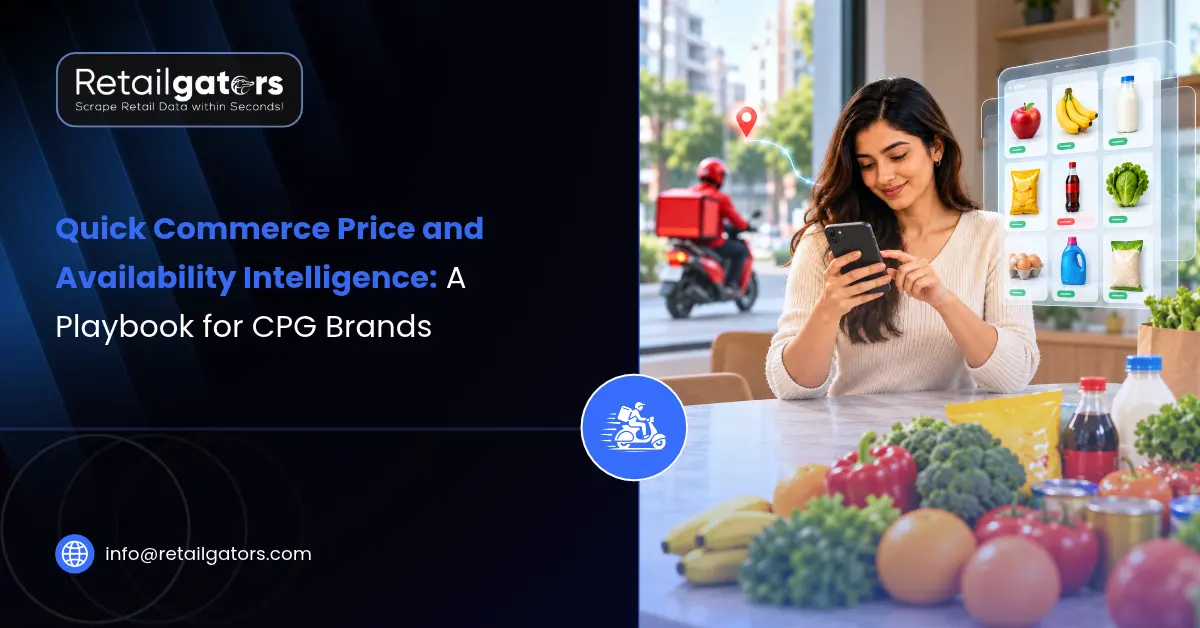
It’s Monday morning and your category review is about to start. Your 500g pack has been showing “out of stock” in a cluster of Bengaluru pincodes since Saturday. A competitor’s equivalent pack has been sitting at a deep discount in the same app, in the same area, for the same two days. None of this appears in your sell-out report yet, and by the time it does, the weekend is gone. That gap between what happens on the app and what reaches your dashboard is what price monitoring on quick commerce platforms is meant to close.
If you manage a brand or category on Blinkit, Zepto, Swiggy Instamart, Gopuff or a similar app, the problem is rarely a lack of data. It’s that the useful data is scattered across locations, changes several times a day, and isn’t visible in any single report. This playbook covers what to track, how often, and where, and how to turn those observations into early warnings about stockouts and undercutting.
Why quick commerce data behaves differently
On a regular ecommerce site, a product page is mostly the same for everyone. On a quick commerce app, what a shopper sees depends on the dark store serving their delivery address. Two people in the same city can see different assortments, different prices, different offers, and different stock, because they’re being served from different stores.
That one fact changes how you should think about monitoring. A single “price” or “in stock” reading for a SKU on a platform tells you very little. The meaningful unit is the SKU at a specific location on a specific platform at a specific time. Promotions also turn over quickly, so a snapshot from this morning may not describe the afternoon. Collecting enough of these readings, consistently, is what the rest of this playbook is about.
Which fields to track, and why each one earns its place
It’s tempting to capture everything on the product page. A narrower set, chosen for the decisions you actually make, is easier to maintain and easier to trust.
Start with identity. You need the product name as listed, brand, pack size or weight, variant, and the platform’s own product identifier. This sounds dull until you try to compare a 200g pack with a 250g pack, or notice that a platform quietly relisted your SKU under a different name. Good identity fields are what make every later comparison possible, and they’re the foundation of any structured product data collection setup.
Price comes next, and it needs more than one number: the MRP, the selling price, the discount shown, and a normalized price per unit (per 100g or per litre) so differently sized packs can be compared fairly. Where the app displays them, delivery, handling, or small-cart fees also affect what a shopper actually pays, so they’re worth recording alongside the item price.
For availability, record whether the item is in stock, listed but unavailable, or missing from the listing entirely, because those three states mean different things. Also capture any purchase quantity cap and the delivery time estimate where shown. A product that’s technically available but capped at one unit per order tells a different story from one that’s fully stocked.
Finally, capture visibility: where your product appears in search results and category pages, and whether the placement is organic or marked as sponsored. Rank is easy to overlook, but a SKU that is in stock and fairly priced can still lose sales if it has slipped several positions down the page. Titles, images, and ratings are worth a lower-frequency check, mainly to catch content that changes or breaks.
| Field group | What it tells you | Suggested check frequency |
| Identity (name, pack size, variant, ID) | Whether you’re comparing like with like; relisting changes | Daily or weekly |
| Price (MRP, selling price, discount, unit price) | Your price integrity and competitor positioning | Several times a day for priority SKUs |
| Availability (stock state, quantity cap, ETA) | Stockouts, partial availability, supply issues | Several times a day for priority SKUs |
| Visibility (search and category rank, sponsored flag) | Discoverability against competitors | Daily |
| Content (title, images, rating) | Listing quality and unexpected changes | Weekly |
How often is often enough?
There’s no universal answer, and anyone who gives you one number for every brand is guessing. A better approach is to let the data tell you. Start with a small set of priority SKUs and check them frequently for a couple of weeks. Look at how often price and availability actually change. If prices move twice a day, checking once a day will miss half the story. If they rarely change, you’re paying for readings that add nothing.
As a working starting point, availability and price for your top SKUs deserve several checks a day, especially around the times you know demand peaks. Rank and assortment can usually be checked daily. Content and ratings can sit at a weekly cadence. Revisit the schedule after the first month rather than treating it as fixed.
Location is the whole game
The most common mistake in quick commerce monitoring is checking too few places. If you only look at one pincode per city, you’re mostly measuring that single dark store, not the city.
A sensible location plan covers three groups. First, your highest-revenue pincodes, where a stockout hurts most. Second, a spread across neighborhood types within each city, since stock and promotions can vary between a dense residential area and a commercial district. Third, any pincodes where you’ve recently launched a product, changed distribution, or are running a trade promotion, because that’s where you most want to verify things are working.
Resist the urge to cover everything on day one. A smaller set of locations checked reliably is more useful than a huge set checked erratically. Expand once the first set is producing insights you act on.
Catching stockouts before the sales report does
A single out-of-stock reading can be noise. A restock may be minutes away. What matters is the pattern. Track how many consecutive checks a SKU shows as unavailable at a location, and how many of your monitored locations in a city are affected at once.
A practical rule is to separate short blips from sustained gaps: one missed check is logged, repeated misses at the same location raise a flag, and misses across many locations in the same city escalate to your supply or key-account team. The exact thresholds depend on how fast your SKUs normally restock, so set them from your own observed history rather than copying someone else’s numbers.
Time-of-day patterns are worth watching too. If a SKU regularly disappears in the evening and returns the next morning, that points to replenishment timing, which is a different conversation than a genuine supply shortage. Quantity caps and delayed delivery estimates often show up before a full stockout, so they make useful early signals.
Spotting undercutting without chasing noise
Undercutting is harder to judge than it looks, because a lower sticker price doesn’t always mean a lower effective price, and a competitor’s offer isn’t always comparable to yours.
Begin by normalizing price per unit so pack sizes don’t mislead you. Then make sure you’re comparing genuinely equivalent products: same category, same specification, similar pack size. This is where product matching matters. A match that’s even slightly off will make a competitor look cheaper or dearer than they are, and a wrong alert erodes your team’s trust in the whole feed.
Look at depth and duration, not just presence. A competitor running a deep discount for a few hours is different from one that has shifted its everyday price. Track how long each discount lasts and how often it repeats. From the app alone you can usually see that a discount exists, but not always who is funding it, so treat discount data as a signal to investigate rather than proof of competitor strategy.
Don’t forget to watch your own products. Checking whether your SKU is being sold below your intended price on one platform but not another is just as valuable as watching rivals, since a price gap between apps can create friction with your other channels.
From alerts to a weekly rhythm
Data only changes outcomes if it reaches the right people in a form they’ll use. Many teams settle on a simple routine: automated alerts for sustained stockouts and unexpected price drops, a short weekly review of availability and price position by city, and a monthly look at rank and assortment trends. Category managers, key-account leads, trade marketing, and supply planning all draw on the same underlying feed but care about different slices of it.
The format matters as much as the content. Some teams want a CSV they can drop into a spreadsheet, others want an API feed into an existing dashboard. If you want to take this further into trend analysis across platforms, broader marketplace data intelligence work builds directly on the same collected data.
One honest limit to keep in mind: this approach shows you what shoppers can see on the app. It doesn’t replace your platform’s own sell-out and retail media reports, which hold sales and ad performance that public listings can’t show. The two work best together, with monitoring giving you the early signal and platform reports confirming the commercial impact.
Collection itself needs care too. Quick commerce apps tie content to location, which makes consistent collection more involved than scraping a typical website, and it should always respect applicable platform terms, technical restrictions, and legal requirements.
How RetailGators supports quick commerce monitoring
Once you know which SKUs, locations, and fields matter, the practical question is who builds and maintains the collection. RetailGators offers quick commerce data collection for platforms such as Zepto, Blinkit, and Swiggy Instamart, covering product listings, delivery charges, availability, and related fields, structured to the fields and locations you specify. If you also track apps beyond those, such as Gopuff, that can be raised as part of your requirements.
On the analysis side, competitive pricing and promotion intelligence work helps turn the raw readings into price-position views and promotion tracking your team can use directly, rather than another file that needs cleanup before anyone acts on it.
The easiest way to judge fit is to see real output for your own products. You can request a free sample feed covering a few SKUs: share the products, the platforms, and a handful of pincodes, and you’ll see how the price and availability data looks before deciding anything bigger.
Conclusion
Quick commerce price and availability intelligence comes down to a few disciplined choices. Track the fields that map to real decisions, check them at a pace set by how fast they actually change, spread your monitoring across the locations that matter, and turn raw readings into patterns, not isolated numbers. Stockouts show up as sustained, widespread gaps. Undercutting shows up as normalized, matched, repeated price differences. Both are far easier to catch with a consistent feed than with occasional manual checks.
If you’d like to see what that loWhat is quick commerce price and availability intelligence?oks like for your own range, talk to RetailGators about a sample feed for a few SKUs and the locations you care about most.