Introduction
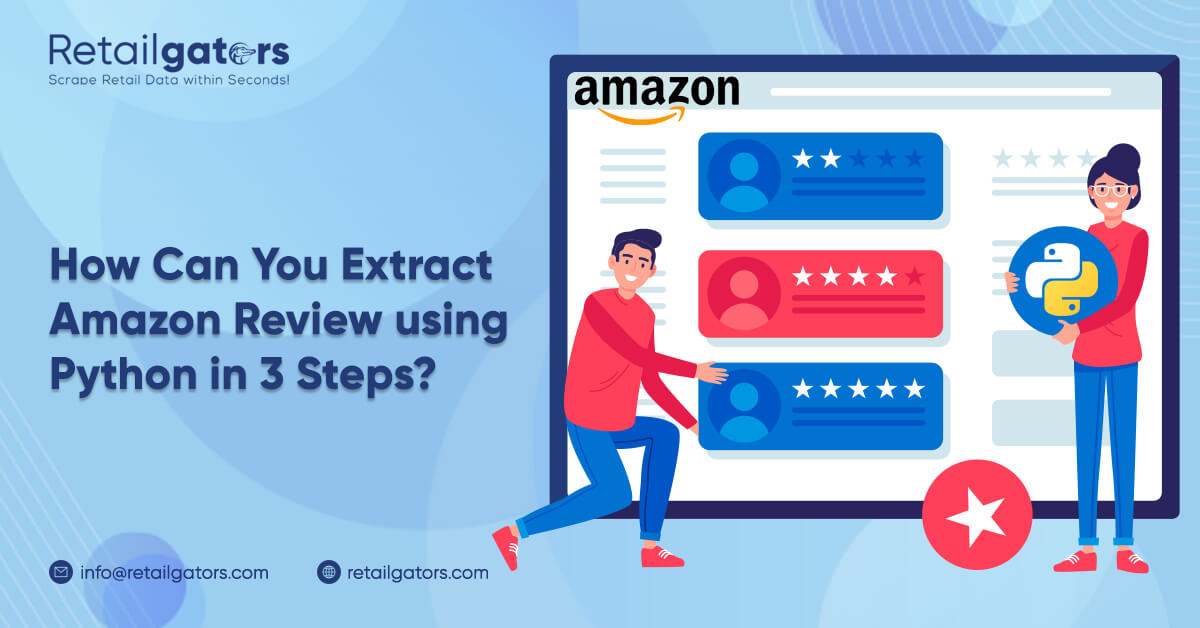
In this web extracting blog, we will explain how to build an Amazon review scraper with Python in three simple steps. This scraper can help extract review-related data from Amazon product review pages, such as review title, review content, product name, author name, product rating, review date, verified purchase status, and product URL.
We will develop a simple and structured Amazon product review scraper using Python. The extracted data can be saved into a spreadsheet for further analysis.
Here are the three main steps to extract Amazon reviews using Python:
- Mark the required data fields using Selectorlib.
- Copy and run the Python code.
- Download the extracted data in Excel or CSV format.
This guide also explains how to extract product review information from Amazon review pages in a structured way and save the data for analysis.
Data Fields We Can Extract from Amazon Reviews
Below are some of the important data fields that can be extracted from Amazon product review pages:
- Product Name
- Review Title
- Review Content or Text Review
- Product Rating
- Review Publishing Date
- Verified Purchase Status
- Author Name
- Product URL
All this data can be saved into an Excel spreadsheet or CSV file for easy use.
Install Required Packages for Amazon Review Scraping
To extract Amazon product reviews using Python, we need Python 3 and some supporting libraries. In this blog, we are not using Scrapy. The code is designed to run easily on a local computer.
If Python 3 is not installed, you can install it on your Windows PC before starting.
We will use the following Python libraries:
- Requests – To download HTML content from review pages.
- LXML – To parse HTML tree structures using XPath.
- Dateutil – To parse and format review dates.
- Selectorlib – To extract data from HTML pages using YAML-based selectors.
You can install the required packages using the following command:
pip3 install python-dateutil lxml requests selectorlib
The Code
Create a file named reviews.py and add the Python scraper logic inside it.
What Does the Amazon Product Review Scraper Do?
The scraper performs the following tasks:
- Reads Amazon review page URLs from a file named
urls.txt. - Uses a YAML selector file named
selectors.ymlto identify data fields. - Extracts product review data from the page.
- Saves the extracted data into a CSV file named
data.csv.
Below is a simplified Python code structure:
from selectorlib import Extractor
import requests
import csv
from dateutil import parser as dateparser

e = Extractor.from_yaml_file("selectors.yml")

def scrape(url):
    headers = {
        "User-Agent": "Mozilla/5.0"
    }

    print("Downloading:", url)
    response = requests.get(url, headers=headers)

    if response.status_code != 200:
        print("Unable to download page:", response.status_code)
        return None

    return e.extract(response.text)

with open("urls.txt", "r") as url_list, open("data.csv", "w", newline="", encoding="utf-8") as output_file:
    writer = csv.DictWriter(
        output_file,
        fieldnames=[
            "title",
            "content",
            "date",
            "variant",
            "images",
            "verified",
            "author",
            "rating",
            "product",
            "url"
        ],
        quoting=csv.QUOTE_ALL
    )

    writer.writeheader()

    for url in url_list:
        data = scrape(url.strip())

        if data and data.get("reviews"):
            for review in data["reviews"]:
                review["product"] = data.get("product_title")
                review["url"] = url.strip()

                if review.get("verified") and "Verified Purchase" in review["verified"]:
                    review["verified"] = "Yes"
                else:
                    review["verified"] = "No"

                if review.get("rating"):
                    review["rating"] = review["rating"].split(" out of")[0]

                if review.get("date"):
                    date_posted = review["date"].split("on ")[-1]
                    review["date"] = dateparser.parse(date_posted).strftime("%d %b %Y")

                if review.get("images"):
                    review["images"] = "\n".join(review["images"])

                writer.writerow(review)
Creating YAML File With selectors.yml
Now create another file named selectors.yml. This file contains the CSS selectors used to extract review details from Amazon product review pages.
Selectorlib makes the scraping process easier because it allows you to define the required fields visually and save them as selectors. You can use the Selectorlib Chrome Extension to select data fields from a page and generate CSS or XPath selectors.
Below is a sample YAML selector structure:
product_title:
  css: 'h1 a[data-hook="product-link"]'
  type: Text

reviews:
  css: 'div.review'
  multiple: true
  type: Text
  children:
    title:
      css: 'a.review-title'
      type: Text

    content:
      css: 'div.review-data span.review-text'
      type: Text

    date:
      css: 'span.a-size-base.a-color-secondary'
      type: Text

    variant:
      css: 'a.a-size-mini'
      type: Text

    images:
      css: 'img.review-image-tile'
      multiple: true
      type: Attribute
      attribute: src

    verified:
      css: 'span[data-hook="avp-badge"]'
      type: Text

    author:
      css: 'span.a-profile-name'
      type: Text

    rating:
      css: 'i.review-rating span'
      type: Text

next_page:
  css: 'li.a-last a'
  type: Link
After creating this file, save it in the same folder as reviews.py.
Running the Amazon Review Scraper
To run the scraper, add Amazon product review page URLs to a text file named urls.txt. This file should be saved in the same folder as your Python script.
Example format for urls.txt:
https://www.amazon.com/example-product/product-reviews/example
After adding the review page URLs, run the scraper using the following command:
python3 reviews.py
Once the script runs successfully, the extracted review data will be saved in a file named data.csv.
How to Get an Amazon Review Page URL
You can get the Amazon product review page URL by visiting a product page and clicking on the “See all reviews” option. This will open the complete review page for that product.
You can copy that review page URL and add it to the urls.txt file.
What Can You Do With Amazon Review Scraping?
The data collected from Amazon reviews can support many business and research use cases.
You can use the extracted review data to:
- Analyze customer opinions about a product.
- Understand common complaints and positive feedback.
- Monitor product quality sold by third-party sellers.
- Study customer sentiment across different product categories.
- Create product review datasets for research and analysis.
- Track review trends over time.
- Compare customer feedback for competing products.
Amazon review data can help businesses understand what customers like, what they dislike, and what improvements they expect from products.
Build an Amazon Review API Using Python, Selectorlib, and Flask
If you want to access review data in API format, you can also build a simple review API using Python, Selectorlib, and Flask. This can help you fetch review data in a structured JSON format.
A custom Amazon review API can be useful for dashboards, reporting tools, product intelligence systems, and internal analytics platforms.
However, while collecting data, it is important to follow website terms, respect robots.txt guidelines, avoid aggressive request behavior, and use collected data responsibly.
Conclusion
Amazon review scraping using Python can help businesses collect structured customer feedback from product review pages. With Python, Selectorlib, and supporting libraries, you can extract important review fields such as review title, rating, author name, review content, date, verified purchase status, and product URL.
This extracted data can be saved into CSV or Excel format and used for product research, customer sentiment analysis, competitor comparison, and eCommerce market intelligence.
If you are looking for a professional Amazon review scraping solution, RetailGators can help you extract, organize, and analyze review data according to your business requirements.