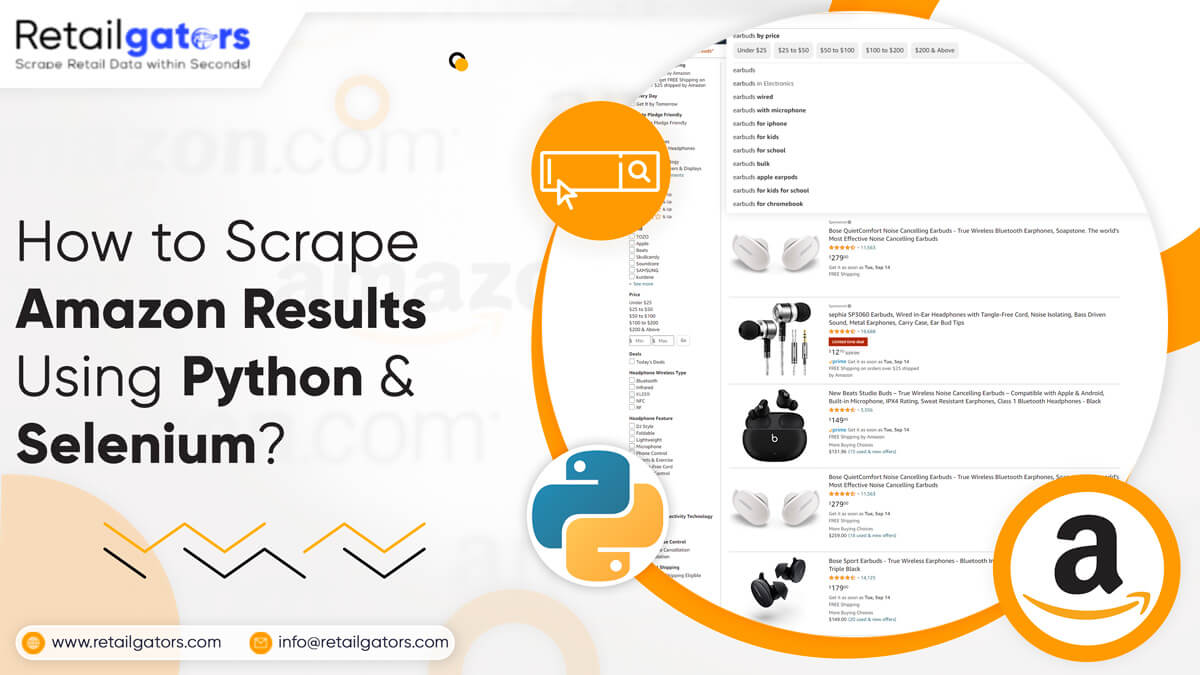
In this project, we will understand how to use Selenium for moving through Amazon search result pages and organizing useful product listing data in a structured format. The goal is to create a simple workflow that can open a search page, move through pagination, collect result page URLs, and prepare the data for further analysis.
This tutorial is useful for developers, data teams, and businesses that want to understand how browser automation works for e-commerce search result pages. The same workflow can also help in product research, price monitoring, category tracking, and competitive intelligence when used with proper permissions and responsible data collection practices.
What is Selenium?
Selenium is an open-source browser automation tool. It is widely used for testing web applications and automating browser-based actions. Selenium can perform activities such as typing text, clicking buttons, navigating pages, scrolling, and interacting with different elements on a website.
The main advantage of Selenium is that it works like a real browser. Therefore, it is useful when a website requires browser interaction before displaying search results or product listings.
Selenium also provides several methods to locate elements on a page. You can select elements by ID, name, class name, XPath, CSS selector, link text, or tag name. This makes it easier to interact with search boxes, buttons, product cards, and pagination sections.
The key component behind Selenium automation is WebDriver. WebDriver helps Selenium control the browser and perform actions automatically.
Necessary Package Installation
For this project, you need Python and a few supporting packages. These packages help you control the browser, manage the browser driver, and organize the extracted information.
You will need:
- Selenium for browser automation
- WebDriver Manager for managing the browser driver
- A parser or selector-based tool for reading page elements
- A structured output format such as JSONL or CSV
For this example, we will use Chrome as the browser. However, Selenium also supports other popular browsers depending on your project requirement.
Before starting, make sure Python is installed on your system. Then, install the required packages in your development environment. It is always better to use a virtual environment so that your project dependencies remain separate and easy to manage.
Set Up an Environment
After installing the required packages, create a new project folder. This folder will contain the main script file, input files, output files, and configuration files.
A simple project folder can include:
- Main Python script file
- Search result URL file
- Output data file
- Selector configuration file
- Project notes or documentation file
For example, you can create a folder named amazon_scraper and keep all project-related files inside it.
A clean folder structure makes the workflow easier to manage. It also helps when you want to test different search terms, review outputs, or update selectors in the future.
Create the Main Script File
The main script file will contain the automation logic. This script will open the browser, visit the Amazon homepage, enter the search term, move through result pages, and save the result page URLs.
In the script, you can import the required Selenium modules and create a function for the search workflow. This function can accept a search keyword as input. For example, if you want to search for laptops, phones, or accessories, the keyword can be passed into the function.
The function should perform these steps:
- Open the browser.
- Visit the Amazon homepage.
- Find the search input field.
- Enter the search keyword.
- Submit the search.
- Wait for the results page to load.
- Identify the pagination area.
- Move through result pages.
- Save each result page URL.
- Close the browser once the process is completed.
This keeps the search and pagination process organized in one workflow.
Load a Page and Choose Elements
After setting up the browser driver, the next step is to load the Amazon homepage. Once the page is loaded, you need to locate the elements that are required for interaction.
For this project, the important elements are:
- Search input box
- Search button
- Search result area
- Pagination section
- Next page button
You can inspect the page using browser developer tools. Right-click on the element and choose the inspect option. This will help you understand the HTML structure and identify useful selectors.
For example, the search box usually has a unique ID or name attribute. The search button may also have an identifiable selector. Once these elements are identified, Selenium can interact with them.
Enter the Search Term
After selecting the search box, Selenium can enter the desired keyword. The keyword can be passed from the function input.
For example, if your function receives “MacBook Pro” as the search term, Selenium will type it into the search field and submit the search.
This step is simple, but it is important to make sure the selector is correct. If the website layout changes, the selector may stop working. Therefore, selectors should be checked and updated whenever required.
Wait for the Result Page to Load
After submitting the search, the result page may take a few seconds to load. If the automation moves too quickly, it may try to find elements before they appear on the page. This can cause errors.
To avoid this problem, add a proper waiting method. Instead of depending only on fixed delays, it is better to wait until a specific element becomes available on the page.
For example, the script can wait until the search result section or pagination area appears. This makes the workflow more stable and reduces unnecessary failures.
Find the Pagination Section
Pagination is one of the most important parts of this project. Amazon search results may be spread across multiple pages. To collect all available result page URLs, the script needs to identify the pagination area.
The pagination section usually appears near the bottom of the result page. It may include page numbers, next button, previous button, or a disabled button on the last page.
The script should check whether the next page option is available. If it is available, Selenium can move to the next page. If it is not available, the script should stop the loop.
This logic helps the script avoid unnecessary errors when there are fewer result pages.
Collect Result Page URLs
Once the pagination section is identified, the next step is to collect the URL of every search result page.
The script can start from the first result page, save the current URL, click the next page button, wait for the new page to load, and repeat the process.
This approach has several benefits:
- It keeps page navigation separate from data extraction.
- It makes debugging easier.
- It allows you to restart the extraction process from saved URLs.
- It helps avoid missing result pages.
- It creates a clear record of visited pages.
The collected URLs can be saved in a text file. Later, another process can read this file and collect product-level details from each result page.
Save URLs in a File
After collecting the search result page URLs, save them into a file. Each URL should be stored on a new line. This makes it easy to read and process them one by one later.
Saving URLs separately is useful because it gives you better control over the workflow. If the extraction process stops for any reason, you do not need to repeat the entire browser navigation process. You can continue from the saved list.
This method also helps in reviewing how many pages were collected and whether pagination worked properly.
Plan to Get Amazon Results Data?
Request a Quote.
Incorporate an Amazon Search Result Pages Scraper in the Script
After creating the function to search items and move through result pages, the next step is to collect useful product details from the saved result page URLs.
At this stage, the script can read each saved URL and process the page to collect listing-level information. The extracted data may include:
- Product title
- Product URL
- Price
- Rating
- Review count
- Availability information
- Product image URL
- Search keyword
- Source result page
Instead of adding every technical request setting directly inside the blog, it is better to keep the extraction logic inside the project file. This keeps the blog cleaner and makes the script easier to maintain.
The extracted information can be saved in a structured format such as JSONL. JSONL is useful because every product record is stored as a separate line. This makes the output easy to process, review, and analyze.
Save Data in JSONL Format
JSONL is a practical format for storing product listing data. Each line contains one complete product record. This format is especially useful when working with larger datasets because the file can be processed line by line.
For e-commerce data projects, JSONL can support several use cases, such as:
- Price monitoring
- Product comparison
- Category analysis
- Competitor tracking
- Review analysis
- Product availability monitoring
- Market intelligence
Once the data is stored in JSONL format, it can be imported into analytics tools, dashboards, databases, or business intelligence platforms.
Completed Workflow Overview
Here is the complete workflow in a simple format:
- Install the required packages.
- Create a dedicated project folder.
- Add the main Python script file.
- Add input and output files.
- Open Amazon using Selenium.
- Enter the search keyword.
- Submit the search.
- Wait for the result page to load.
- Identify the pagination section.
- Save the current result page URL.
- Move to the next result page.
- Repeat until no further page is available.
- Save all result page URLs in a text file.
- Process saved URLs for product-level details.
- Store the final output in JSONL format.
This workflow separates browser navigation from product data extraction. As a result, it becomes easier to test, debug, and improve the project in the future.
Common Challenges
While working with Selenium pagination, you may face some common challenges. These issues are normal in browser automation projects.
Some common challenges include:
- Page layout changes
- Missing pagination section
- Slow page loading
- Empty result pages
- Duplicate URLs
- Incorrect selectors
- Browser driver mismatch
- Dynamic content loading
- Fewer result pages for specific searches
To reduce these problems, add proper validation and error handling in your workflow. The script should check whether the required element exists before interacting with it.
Best Practices for Selenium Pagination
To make the workflow more stable, follow these best practices:
- Use reliable selectors.
- Avoid depending only on fixed delays.
- Add proper wait conditions.
- Validate every page before saving the URL.
- Check whether the next page button is available.
- Save intermediate results.
- Keep browser drivers updated.
- Test the workflow with different search keywords.
- Review page structure regularly.
- Keep logs for troubleshooting.
These practices help make the script more reliable and easier to maintain.
Restrictions
The script works better for broad searches because broader keywords usually return multiple result pages. More specific searches may return fewer pages, and sometimes pagination may not appear at all.
In such cases, the script should handle missing pagination properly. It should not fail when there is only one result page or when the next page button is not available.
To improve the workflow, you can add checks for:
- Missing pagination
- Empty search results
- Duplicate page URLs
- Selector changes
- Incomplete product cards
- Page loading delays
These improvements can make the project more stable for different search terms.
Responsible Use Note
Before collecting data from any website, always review the website’s terms of use, robots.txt guidance, and applicable data access rules. This project is shared for educational purposes and should be used only with publicly available, permitted, licensed, or client-approved data sources.
Responsible data collection helps reduce operational risks and supports ethical use of publicly available information.
Business Use Cases of Amazon Search Result Data
Structured Amazon search result data can help businesses understand product visibility, price movement, category competition, and market trends.
Common business use cases include:
- Product price tracking
- Competitor product monitoring
- Category-level research
- Seller analysis
- Product availability tracking
- Review and rating intelligence
- Market trend analysis
- Product assortment comparison
- Digital shelf analytics
- E-commerce pricing strategy
With structured data, businesses can make faster decisions and identify market opportunities more effectively.
Final Thoughts
Selenium is a useful tool for automating browser-based workflows and handling pagination across Amazon search result pages. It allows users to move through result pages, collect URLs, and organize data for further processing.
However, a reliable workflow requires proper setup, accurate selectors, stable wait conditions, and responsible data collection practices. Separating pagination from extraction also makes the project easier to manage and improve.
If your business needs structured Amazon product data for pricing analysis, product tracking, competitor monitoring, or e-commerce intelligence, a professionally managed solution can help save time and reduce manual effort.
For more information, contact Retailgators or ask for a free quote.