Introduction
Millions of customers share their opinions through product reviews on eCommerce platforms every day. These reviews contain valuable information about customer satisfaction, product quality, buying behavior, and market trends.
For businesses, Flipkart product reviews are more than just ratings. They explain why customers like or dislike a product, what problems they experience, and what improvements they expect from brands.
By collecting and analyzing Flipkart review data, businesses can understand customer sentiment, monitor competitors, improve products, and make data-driven decisions.
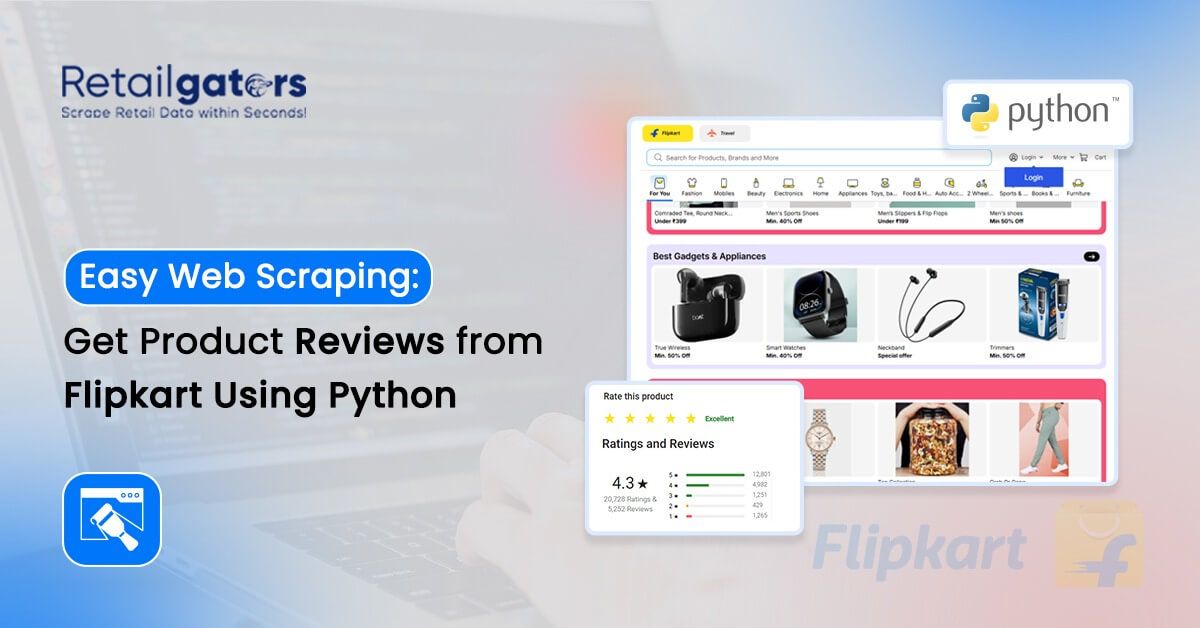
This guide explains how to scrape Flipkart product reviews using Python. It covers the tools required, scraping process, review data fields, analysis methods, challenges, and important considerations for collecting valuable customer insights.
Whether you are a developer building a review scraper or a business looking for customer intelligence, this guide explains everything you need to know about Flipkart review data extraction.
Why Do Businesses Scrape Flipkart Product Reviews?
Product reviews provide direct insights into customer experiences. While ratings show an overall score, review content explains the reasons behind customer opinions.
Businesses use Flipkart product review scraping for different purposes:
Star Rating Trend Analysis
Tracking rating changes helps businesses identify customer satisfaction patterns. A sudden decrease in ratings can indicate product quality issues, delivery problems, pricing concerns, or increasing competition.
Analyzing rating trends allows brands to take quick actions and improve customer experience.
Competitor Review Analysis
Competitor reviews help businesses understand what customers appreciate or dislike about similar products.
Companies can analyze competitor feedback to identify:
- Product improvement opportunities
- Customer expectations
- Market gaps
- Common complaints
This information helps businesses create better products and stronger market strategies.
Customer Sentiment Analysis
Customer reviews contain valuable opinions and emotions. By analyzing review text, businesses can identify whether customers have positive, negative, or neutral experiences.
Sentiment analysis helps companies understand customer perception and improve their products based on real feedback.
Product Quality Monitoring
Continuous review monitoring helps businesses detect issues quickly.
Companies can identify:
- Repeated customer complaints
- Product quality problems
- Packaging issues
- Service-related concerns
This allows teams to improve products before negative feedback impacts sales.
What Data Can You Extract from Flipkart Reviews?
Flipkart reviews contain multiple data points that help businesses understand customer behavior and product performance.
Using Flipkart review scraping, businesses can collect:
- Reviewer name
- Product rating
- Review title
- Complete review content
- Review date
- Customer feedback
- Product information
- Sentiment insights
This structured review data can be used for competitor research, customer experience analysis, product optimization, and market intelligence.
Tools Used for Flipkart Review Scraping Using Python
The right scraping approach depends on how Flipkart loads review content.
Different Python-based tools are used depending on project requirements:
Requests and BeautifulSoup
These tools are suitable for extracting information from static webpages where review content is available directly in the page structure.
They are commonly used for:
- Small-scale projects
- Basic review extraction
- Simple data collection tasks
Selenium
Selenium helps collect reviews from pages where content loads dynamically through JavaScript.
It works by opening the webpage in a browser environment and capturing the complete loaded content.
Selenium is useful for:
- Dynamic review pages
- Browser-based automation
- Real-time data collection
Playwright
Playwright is another browser automation tool that provides faster and more reliable performance for large-scale scraping workflows.
It is useful when businesses require:
- Faster execution
- Multiple browser support
- Automated data collection
Scrapy
Scrapy is designed for advanced crawling requirements where businesses need to collect data from multiple pages or websites at scale.
How Does Flipkart Review Scraping Work?
The Flipkart review scraping process generally involves multiple steps:
Step 1: Identify Product Review Pages
The first step is selecting Flipkart product pages and identifying the review sections that contain customer feedback.
Businesses usually define the products, categories, or competitors they want to monitor.
Step 2: Collect Review Information
The scraping system collects important review details such as ratings, review text, dates, and customer feedback.
The collected information is then converted into a structured format for analysis.
Step 3: Handle Multiple Review Pages
Popular products may contain hundreds or thousands of reviews.
Pagination handling allows businesses to collect reviews from multiple pages and build complete datasets.
Step 4: Store Review Data
Collected review information can be stored in formats such as:
- CSV
- Excel
- Database systems
- Business intelligence platforms
This makes the data easier to analyze and visualize.
How to Analyze Flipkart Review Data?
Collecting reviews is only the first step. The real value comes from analyzing customer feedback and converting it into actionable insights.
Businesses commonly use Flipkart review analysis for:
Sentiment Analysis
Sentiment analysis helps classify customer opinions into positive, negative, or neutral categories.
It helps brands understand:
- Customer satisfaction levels
- Product strengths
- Customer complaints
- Overall market perception
Rating Trend Analysis
Analyzing rating changes over time helps businesses understand product performance and customer satisfaction trends.
Companies can identify:
- Rating improvements
- Declining customer satisfaction
- Impact of product changes
Customer Complaint Analysis
Review analysis helps identify frequently mentioned problems.
Businesses can discover issues related to:
- Product quality
- Features
- Delivery experience
- Packaging
- Customer expectations
What Are the Challenges in Flipkart Review Scraping?
Although review scraping provides valuable insights, businesses may face technical challenges.
Website Structure Changes
eCommerce websites frequently update their page layouts. Changes in website structure can affect data collection processes.
Dynamic Content Loading
Some reviews load after the webpage opens using JavaScript. Additional handling may be required to collect complete review information.
Data Accuracy
Maintaining accurate and updated datasets requires proper validation and monitoring.
Large-Scale Data Collection
Collecting thousands or millions of reviews requires scalable infrastructure and efficient processing systems.
Is Scraping Flipkart Reviews Legal?
Businesses should collect and use review data responsibly.
Important considerations include:
Publicly Available Information
Companies should focus on collecting publicly available information and use it responsibly for analysis purposes.
Privacy Protection
Businesses should avoid unnecessary collection of personal information and follow applicable privacy regulations.
Responsible Data Usage
Review data should be used for legitimate purposes such as:
- Market research
- Product improvement
- Customer experience analysis
- Competitive intelligence
Companies should always consider platform policies and applicable regulations before implementing large-scale data collection.
Benefits of Flipkart Review Data for Businesses
Flipkart review data helps businesses make better decisions by providing direct customer insights.
Key benefits include:
- Understand customer opinions
- Improve product quality
- Monitor competitors
- Identify market trends
- Analyze customer satisfaction
- Build better business strategies
Why Choose Professional Flipkart Review Data Scraping Services?
Building a basic scraper can work for small projects, but maintaining large-scale review collection requires continuous technical effort.
Professional Flipkart review data scraping solutions help businesses manage:
- Data collection automation
- Website structure changes
- Data processing
- Review monitoring
- Custom data delivery
With structured and reliable review datasets, businesses can focus on analysis instead of managing scraping infrastructure.
How RetailGators Helps with Flipkart Review Data Scraping
RetailGators provides customized Flipkart data scraping solutions to help businesses collect valuable product and review information.
Our solutions help businesses access:
- Structured Flipkart review datasets
- Product review monitoring
- Customer sentiment insights
- Competitor analysis data
- Custom data delivery solutions
Businesses can use these insights to improve customer experience, optimize products, and make informed decisions.
Conclusion
Flipkart product review scraping using Python provides businesses with valuable customer insights that can improve decision-making and product strategies.
By collecting and analyzing review data, companies can understand customer opinions, track market trends, monitor competitors, and identify improvement opportunities.
However, maintaining reliable review data collection requires continuous monitoring, technical expertise, and proper data management.
Businesses looking for structured Flipkart review datasets can use professional data scraping solutions to collect accurate and analysis-ready information.
With the right review intelligence approach, companies can transform customer feedback into valuable business insights.
Need structured Flipkart review data for your business? Contact RetailGators today to get customized review data solutions.